Posts

Image
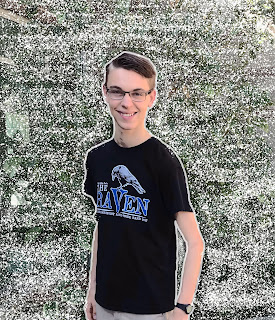
                 Pop Art Project     This week I worked on a pop art project in photoshop and it was fun! I began this project by looking through influencers in Behance to get some inspiration for my project. My design style is very clean and I like clean looking images so that's why I decided to go with natural colors in my project. There weren't very many Behance influencers that had as simple style as me, so I went off of my own style instead of using other peoples design styles. I used a new tool which is changing the brush tool to make a splatter effect on the image. I also used some techniques that I already knew like masking tool and photo adjustments. My project is simple and clean but thats the style I like. If I were to change something about this project I would change the background behind the splatter because I feel like I could have made that more complex. Overall I'm pretty proud of this project and I'm glad ...
Image
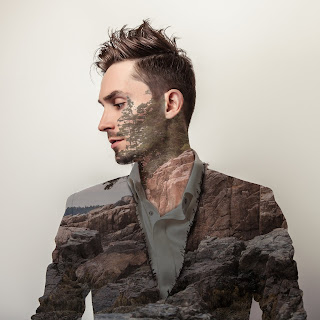
                                  PHOTOSHOP CHALLENGE This week I was working on my Photoshop challenge! We were given a picture of a man and multiple pictures of nature. We used Photoshop for this challenge to merge, blend, and mask the pictures together. I chose the mountains because there was a lot of detail to the pictures and I could use each of the elements. I learned how to use mask and how to blend and color the picture to make the man look like he has a mountain on his jacket and face.  This project really pushed me as a Graphic Designer because  I didn't have any tutorials to tell me how to do anything so  I had to remember how to do everything or reteach myself how to do it. The one thing I would change on this project is  the mans hair because I feel like I could have pushed myself  even further to try to change his hair. The reason I didn't d...
Image
                      Photoshop picture project                                                                       This week I worked on a photoshop project. We learned how to use different tools and techniques in photoshop. We had to watch videos that taught us how to use the different tools in photoshop. We were giving the pictures that needed to be edited then I dragged the pictures into photoshop then began editing. I learned how to delete, edit, and patch photos. There were some pictures with unwanted objects in the picture and I learned how to delete them and patch them to look like the were never there. The videos were difficult to work with but they were filled with a lot of valuable information.  I would change the the am...
Image
                                 Self-Portrait Artist Statement             This week I worked on my self portrait video, I used making my favorite snack as  a  way to represent myself. I wanted to show others what I like to do and make in my free time. I liked seeing the musical videos because I love the sound of instruments and it inspires me to learn how to to play an instrument. I could tell they spent a lot of time on their skills and it payed off.  I had a hard time with my video I started out with a video of me playing soccer but I realized that 2 minutes was longer than I thought so I changed my mind and did a video of me making a snack. I had my sister film and we turned on music, had good lighting, and did some panning. I picked to do these features because they make the video look good and professional. The video shows people what I like to...
Image
                                                Final Reflection             This quarter I've been working on a project in e9, with the help of my team we've created a product to present to a group of people using animation, video, graphic design, and web design. We went through 4 rotations that took us this whole quarter. This project was challenging at times because in some classes we didn't have as much time in as the others. Even though that was a big challenge we began to learn how to manage our time better with each rotation. Our teachers helped us time manage and gave us plans to keep us on track and we changed what we did in the next rotation by giving people in our group equal amount of work so we could get it done faster. I feel like our 4th quarter project turned out really good because our team worked good together...
Image
My Snowflake
Image
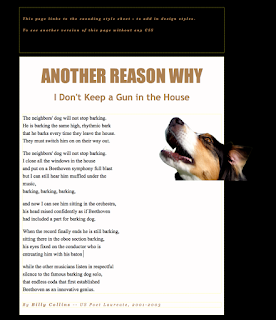
                                                      CSS and CARP Design               We have been working on a project in Dreamwaver. We are given a messed up web page that is in need of a new design. Once we were given our page we began using codes to design and make this page look better. The HTML is very difficult to do, but with the CSS it is easier to use. The style is different because the codes are different on each one so thats why both of the pages look different.  C ontrast: contrast is mostly color. We used the colors in the dog for the text and for good contrast we used different shades of brown. This helps the text all go together without anything clashing and looking misfit. A lignment: alignment is the way the text lines up. Before the text wa...